





Active Fuel Management (AFM) is a system designed by General Motors to improve fuel efficiency by deactivating half of the engine’s cylinders when the vehicle is cruising or under light load. While this can lead to improved fuel economy, some drivers find it disruptive, particularly when the engine switches between operating on fewer cylinders and full power. For those who prefer to disable AFM and maintain full-cylinder operation, there are a few ways to achieve this — one of which is using a scan tool.
In this blog, we’ll explore how you can disable AFM with a scan tool, why you might want to do so, and the pros and cons of this method. We’ll also link you to an expert-reviewed list of the best AFM disablers, so you can make an informed decision about whether a scan tool or a separate device is the right choice for you.
What is AFM and Why Disable It?
Before diving into how to disable AFM, let’s first take a quick look at the system itself. AFM is a technology that activates and deactivates cylinders in your engine based on load demands. For example, when you’re cruising on the highway and not accelerating, the system may deactivate half of the cylinders, improving fuel efficiency. This is especially useful for vehicles with V8 engines, but it can sometimes cause noticeable engine performance fluctuations, such as a sudden drop in power or a “jerking” feeling when transitioning between four and eight cylinders.
For some drivers, these changes in engine performance are distracting or unwanted, which leads them to disable AFM altogether. While there are many ways to disable the system, using a scan tool is one of the most direct methods, and it can often be done without needing any extra devices or hardware.
How to Disable AFM with a Scan Tool
A scan tool, also known as an OBD-II (On-Board Diagnostics) tool, is a device that connects to your vehicle’s onboard computer system to monitor and adjust various vehicle parameters. Many scan tools allow you to access and modify the settings for your car’s engine control module (ECM), including disabling systems like AFM.
Steps to Disable AFM Using a Scan Tool:
- Choose a Compatible Scan Tool: You’ll need a scan tool that supports the ability to modify or reprogram vehicle settings. Tools like HP Tuners, Diablosport, or EFI Live are some of the more popular options that support AFM disablement. These tools are often used by automotive enthusiasts and professionals for tuning vehicles and making changes to engine management systems.
- Connect the Scan Tool to Your Vehicle: Most scan tools connect to the OBD-II port, which is usually located under the dashboard near the driver’s seat. Plug the scan tool into this port, ensuring it’s securely connected.
- Access the AFM Settings: Once the scan tool is connected, navigate through the software to find the AFM settings. These will typically be found under engine management or fuel system settings. Some scan tools may list AFM as “Active Fuel Management” or “Cylinder Deactivation.”
- Disable the AFM System: Follow the instructions on the scan tool to disable the AFM system. This will prevent the engine from deactivating any cylinders, ensuring that all cylinders fire at all times for maximum power and performance.
- Save and Exit: Once you’ve disabled the AFM system, save the changes and exit the scan tool. Your vehicle should now be running on all cylinders, providing more consistent power and eliminating the transitions between four and eight cylinders.
Benefits of Disabling AFM with a Scan Tool:
- Full Cylinder Operation: The primary benefit of disabling AFM with a scan tool is that your engine will always run on all cylinders. This eliminates the jerky transition between four-cylinder and eight-cylinder operation, resulting in a smoother driving experience.
- Improved Performance: For drivers who regularly tow, haul, or drive in performance-demanding conditions, disabling AFM can provide a noticeable improvement in power delivery and throttle response.
- More Control Over Engine Settings: Using a scan tool provides the flexibility to adjust more than just the AFM settings. You can also modify other engine parameters, allowing for a more customized driving experience.
Potential Drawbacks of Disabling AFM with a Scan Tool:
- Fuel Efficiency Impact: The most significant drawback to disabling AFM is that it may reduce your vehicle’s fuel efficiency. AFM is designed to improve fuel economy by deactivating cylinders under light load conditions. By disabling it, your engine will always run on all cylinders, which can lead to higher fuel consumption.
- Warranty Concerns: Some vehicle manufacturers may void the warranty if you modify the ECM settings, including disabling AFM. It’s important to check your vehicle’s warranty terms before making any changes to the vehicle’s factory settings.
- Requires a Specialized Tool: Using a scan tool to disable AFM requires access to a compatible tool and knowledge of how to use it. While the process is not difficult, it may not be ideal for someone who isn’t familiar with automotive diagnostics or tuning.
Alternative Option: AFM Disablers
If you’re looking for a simpler solution or prefer not to use a scan tool, an AFM disabler may be a better choice. These devices are designed to plug into your vehicle’s OBD-II port and immediately disable the AFM system. They are much easier to install and can often be removed if necessary.
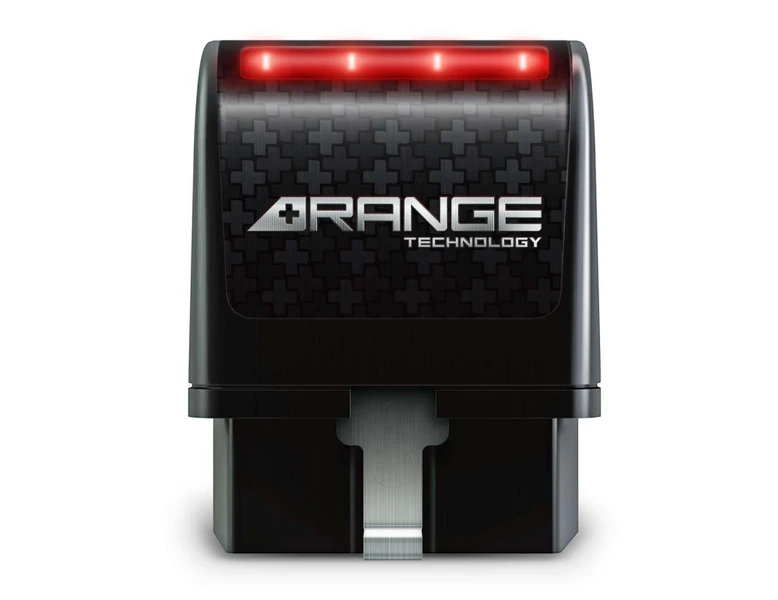
One of the most popular AFM disablers on the market is the Range Technology Active Fuel Management Disabler, which offers an easy, plug-and-play installation. Once connected, it disables the AFM system and ensures the engine operates on all cylinders at all times.
If you’re interested in learning more about AFM disablers, check out this expert-reviewed list of the Best AFM Disablers. This article provides a detailed comparison of the top AFM disablers, their pros, cons, and installation procedures.
Which Method is Right for You?
Choosing between disabling AFM with a scan tool or using an AFM disabler comes down to your personal preferences and needs. If you’re comfortable using advanced tools and want more control over your vehicle’s settings, a scan tool might be the best option. However, if you’re looking for a simpler and more straightforward solution, an AFM disabler is a great alternative.
Conclusion
Disabling AFM with a scan tool can be a great way to enhance your vehicle’s performance by ensuring it runs on all cylinders at all times. It offers more control and can eliminate the unwanted engine transitions caused by AFM. However, it’s essential to consider the potential impact on fuel efficiency, warranty implications, and the learning curve associated with using a scan tool.
If you’re looking for a more user-friendly option, an AFM disabler provides an easy plug-and-play solution. Whichever method you choose, make sure you weigh the pros and cons and decide based on your specific driving needs.
For more information on AFM disablers and to explore the best options available, check out the expert-reviewed list in the article Best AFM Disablers.
Connect with us


